Loops
For a next date that depends on when you last finished.
Tap = done
e.g. haircut every 5 weeks, AC filter every 6 months
Again
Keep up with haircuts, filters, dentist visits, vitamins, and the repeating parts of life that do not fit a fixed calendar.
No projects to manage. No streak pressure. Tap done and the next date sets itself.
Free on one device · works offline · no account
A five-week loop, completed today
The next date follows the completion, not the old due date.
One tap records the moment. The mode decides what happens next.
The current iPhone and Android interface. Scroll sideways on a small screen.
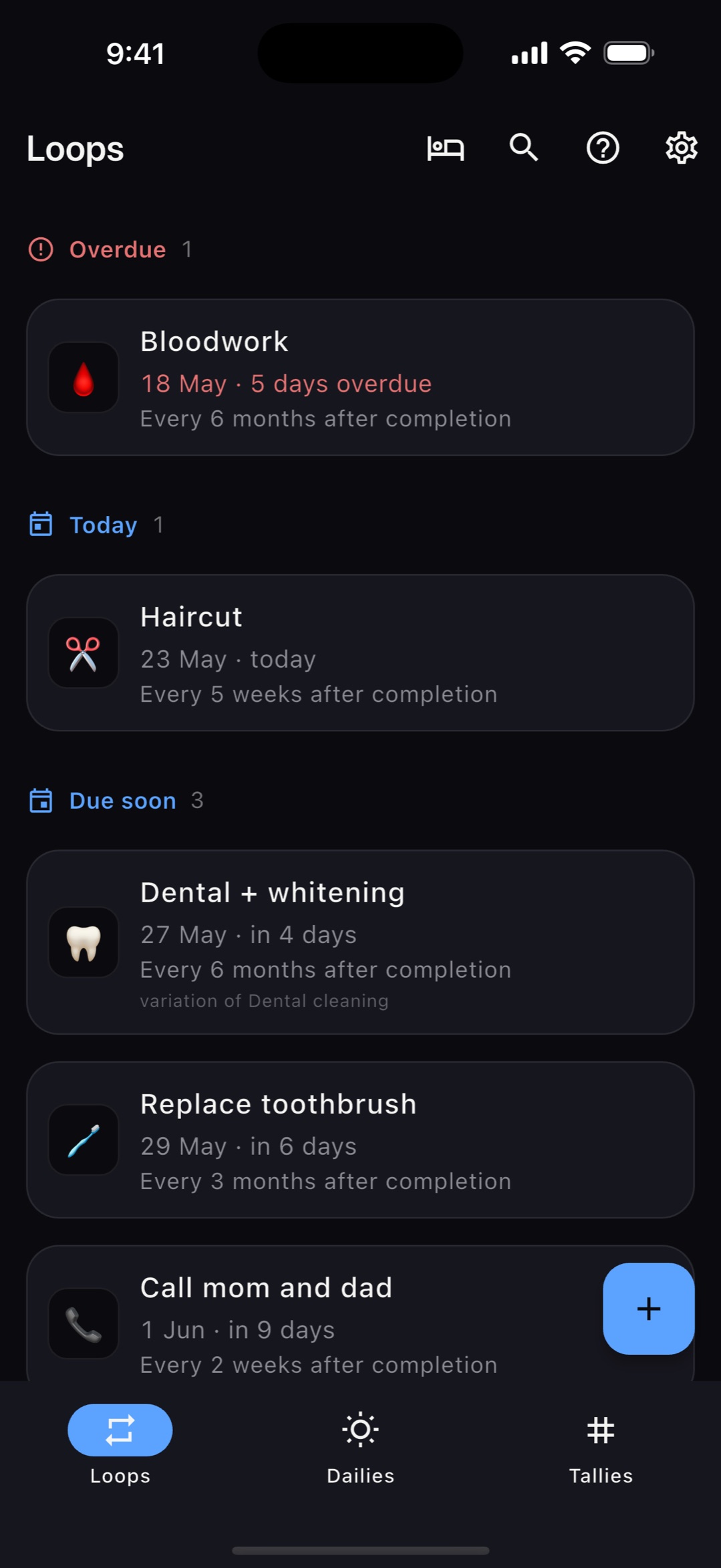
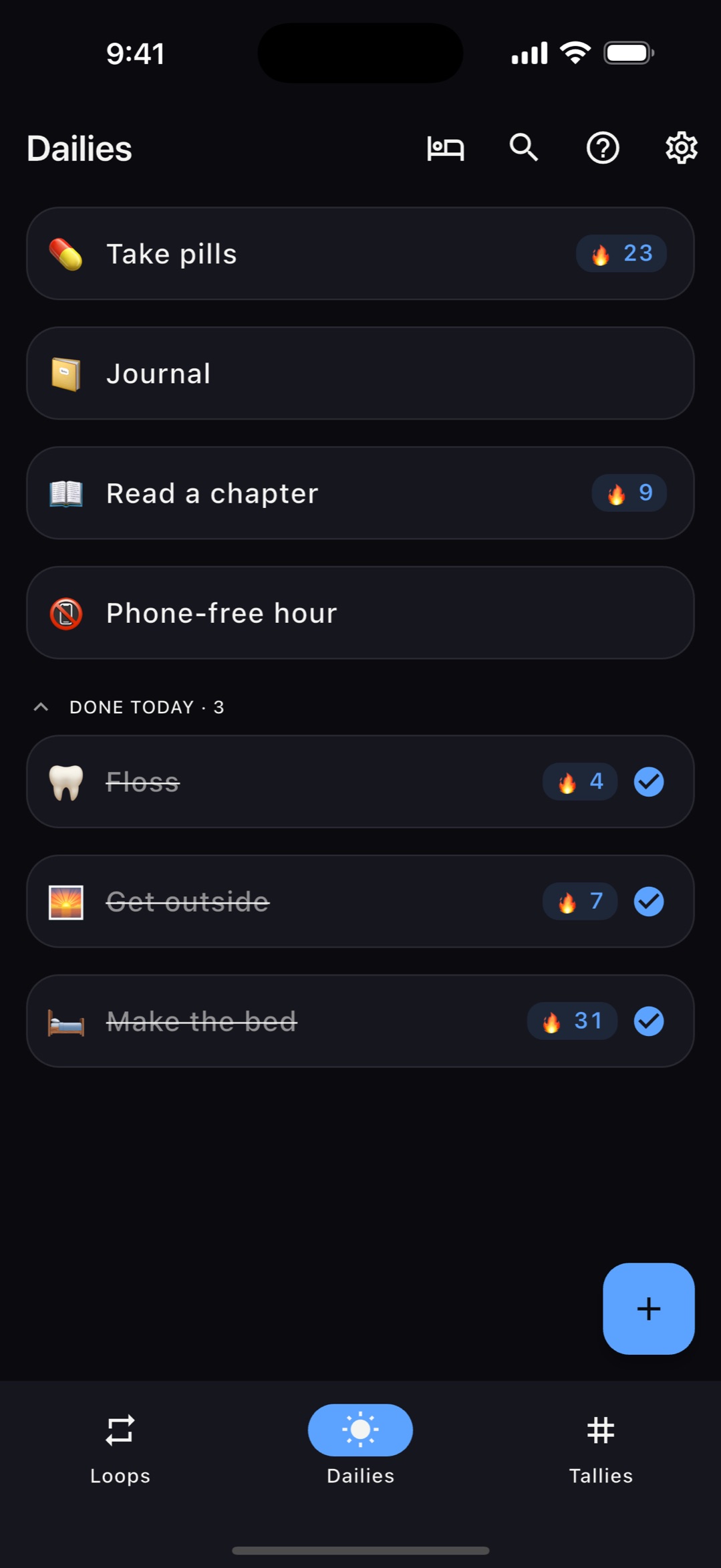
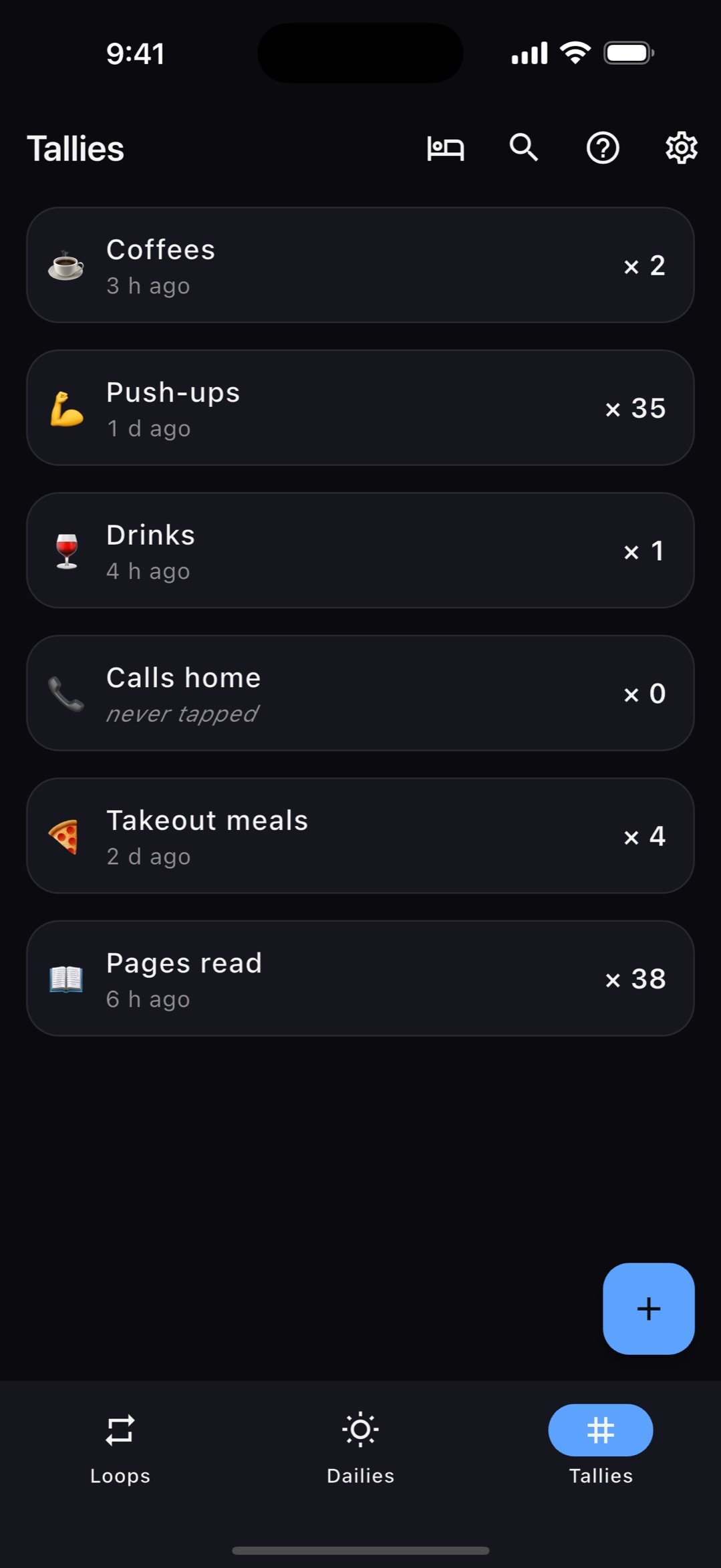
A variation can change the title, note, or emoji for every Nth occurrence. The upcoming version appears before you complete the current one, so the exception is not a surprise.
Read about variationsSleep hides a loop until a date you choose. Seasonal windows repeat each year, so a May-to-September task can stay out of the way all winter and return on its own.
Read about sleepLoops, Dailies, Tallies, reminders, the home-screen widget, calendar mirror, variations, sleep, and readable JSON backup all work without payment or an account.
$9.99/year, or local equivalent, adds account-less encrypted sync across iPhone, Android, extra devices, and the web companion. One price, no tiers.
Without sync, your tasks stay on your phone and the server has no record of you. With sync, task content is encrypted on your device. Pairing codes are short-lived and should only be shown to the device you mean to link.
Read the security detailsIndependently built and maintained. The roadmap is public, the limitations are documented, and emails go directly to the developer.
A loop is a recurring task whose next due date is measured from when you last finished it, rather than a fixed calendar date. Finish a haircut today and a five-week loop schedules the next one five weeks from today.
Habit trackers usually focus on daily goals and maintaining streaks. Again is built for things you repeat every few weeks or months as well as simple daily check-offs and counts. It has no badges, XP, or streak-loss notifications.
Yes. That is what Loops do. Set a task to every six months and Again reschedules it from each completion, so a late completion does not leave the next reminder too close.
No. Again works fully offline with no login. Optional cross-device sync is account-less and end-to-end encrypted. Linking uses a short-lived QR pairing code that should only be shown to the device you intend to add.
Everything on one device is free: all three modes, reminders, the widget, calendar mirror, sleep, variations, and JSON backup. An optional $9.99/year subscription, or local equivalent, adds encrypted sync across devices and the web companion. There are no ads or feature tiers.
Again is available for iPhone and Android. The local app works offline on either platform, and optional sync can connect the two.
Free on one device. No account or setup sequence.